
The Anchorage
Personal website of Gregory K. Maxey, Commander USN (Retired)
The Anchorage
Personal website of Gregory K. Maxey, Commander USN (Retired)
The information, illustrations and code contained in my "Microsoft Word Tips" are provided free and without risk or obligation.

However, the work is mine. If you use it for commercial purposes or benefit from my efforts through income earned or time saved then a donation, however small, will help to ensure the continued availability of this resource.
If you would like to donate, please use the appropriate donate button to access PayPal. Thank you!



This Microsoft Word Tips & Microsoft Word Help page provides a VBA template add-in solution for the task of listing files and selected file data located in any folder and sub-folders. You can use it to create a list of files in your favorite folders, flash thumb drives, or floppy discs.
The project is a collaborative effort by me, Word MVP Graham Mayor, and Excel MVP Andy Pope. Graham gets credit for dogged development reviews and criticism which led to many improvements. Andy Pope's class to emulate control tip text on Userforms "What's this help" and his suggestions for adapting it to include frame controls adds control tip enhancements to the Word 2007 version of the add-in.
I have prepared two versions of the add-In that you can download here: List File Templates. Both versions can be loaded manually as Word template add-ins or be placed in the Word Startup folder as a global add-in. The Word2003 version also works in Word2007 but does not contain the control tip enhancements. The user interface with the add-ins are shown below:
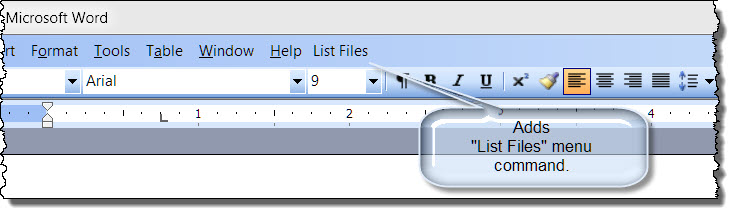
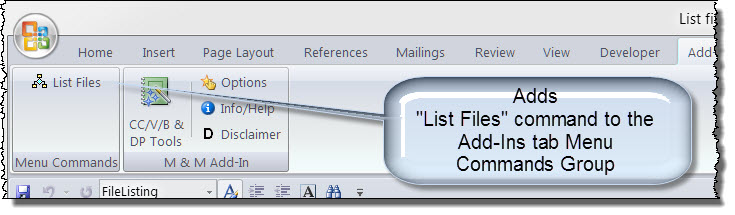
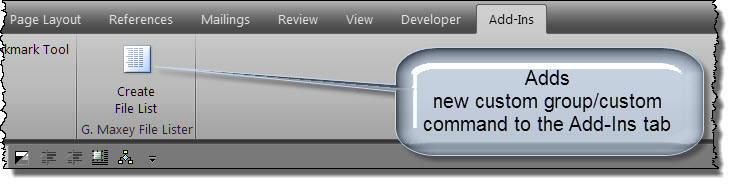
Clicking on the user interface command opens the add-in user interface (UI) shown below. With this interface you type in or browse for the folder you wish to process. You have the option to list only files in the selected folder or files in the selected folder and any files contained in sub-folders of that folder. In addition to listing all files, you can filter the listing to show only Office type files, and select the scope of file data included in the list. When you have selected your options you simply press the "Create List" command.
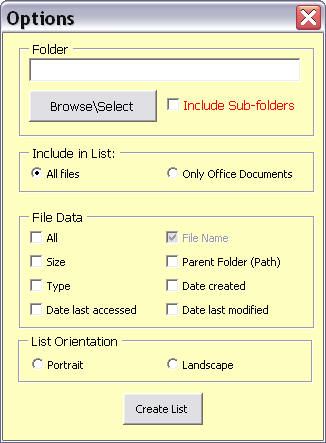
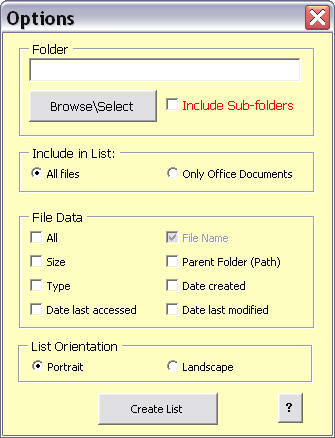
 Note: The UI is virtually the same. The Word 2007/2010 version (developed later) has an enhance userform screen tip feature which is activated using the "?" control shown in the bottom right corner.
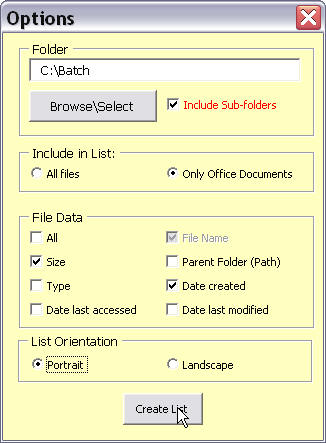
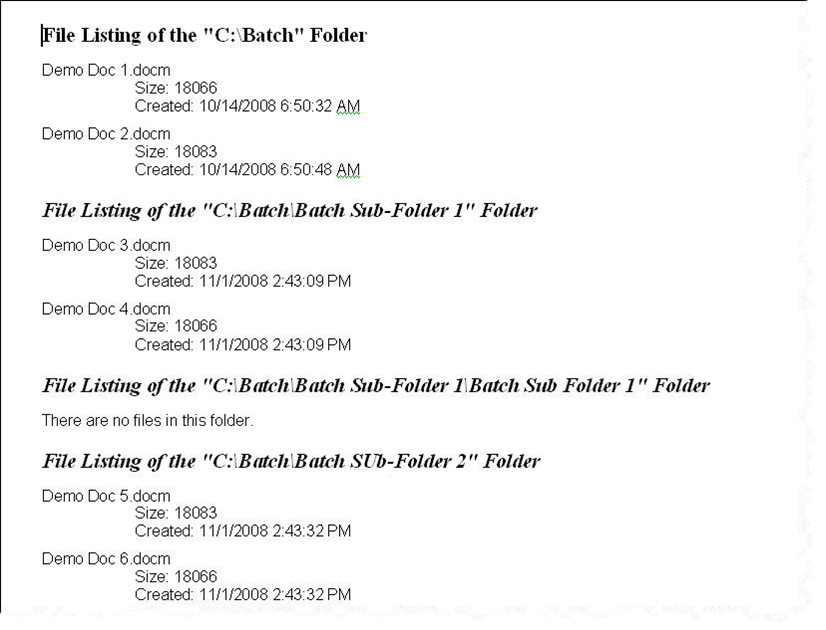
After selecting the options and clicking "Create List", Word generates a new formatted document listing the file information as selected with the options.
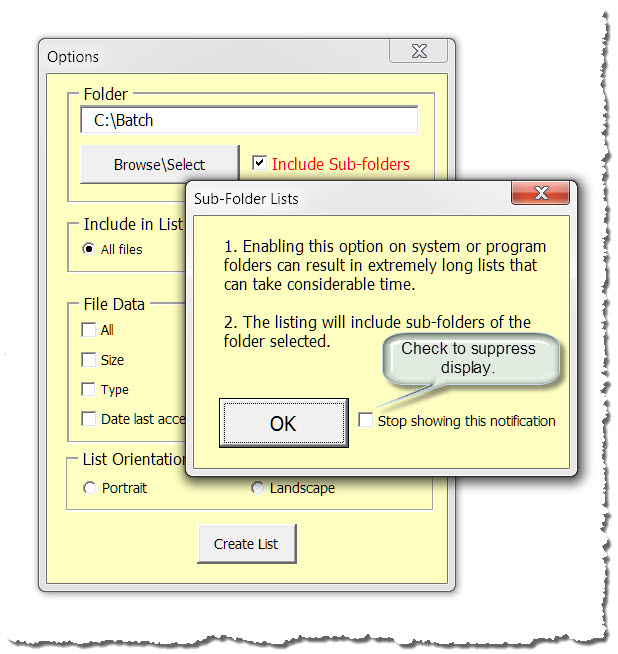
While testing the Word 2007/2010 version of this add-in, I learned that I couldn't create multi-line control tooltip text  . I wanted users to be aware that selecting "Include Sub-Folders" could be problematic.
To solve this issue I took two routes (hence the two versions of the add-in). The Word 2007 version contains an enhanced control tooltip feature made possible by an interesting and brilliant Class module developed by Andy Pope. With Andy's assistance, I customized this module for use in the add-in.
The User Interface includes a "?" command button that activates the feature. When you click the command, then click a User Interface control, enhanced control tool tip text can be displayed.
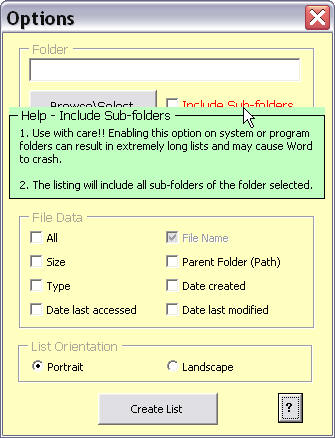
The Word2003 version provides an alternate means of displaying enhanced tooltip text and offers a registry setting option to suppress repeated displaying the tip. When you click on the "Include Sub-Folders" control a second Userform is displayed with enhance tooltip text. This Userform displays each time the control is selected. You can suppress displaying the Userform by checking the control shown.
For more on template add-ins and how to load them, see: Organizing Your Macros/Template Add-ins at: Installing Macros
That's it! I hope you have found this tips page useful and informative.
The information, illustrations and code contained in my "Microsoft Word Tips" are provided free and without risk or obligation.
However, the work is mine. If you use it for commercial purposes or benefit from my efforts through income earned or time saved then a donation, however small, will help to ensure the continued availability of this resource.
If you would like to donate, please use the appropriate donate button to access PayPal. Thank you!
This page was last updated on
March 09, 2021
Website
Privacy Statement
Back to top  Back to
Word Tips
Back to
Word Tips