
The Anchorage
Personal website of Gregory K. Maxey, Commander USN (Retired)
The Anchorage
Personal website of Gregory K. Maxey, Commander USN (Retired)
The information, illustrations and code contained in my "Microsoft Word Tips" are provided free and without risk or obligation.

However, the work is mine. If you use it for commercial purposes or benefit from my efforts through income earned or time saved then a donation, however small, will help to ensure the continued availability of this resource.
If you would like to donate, please use the appropriate donate button to access PayPal. Thank you!



The purpose of this Microsoft Word Help & Microsoft Word Tips page is to provide "VBA Find and Replace©," a Word template add-in for Word2003\2007\2010, to the Word user community.
VBA Find and Replace© provides a method for finding and replacing text anywhere in a document (or collection of documents) using single user defined "find" and "replace" variable pairs, or a user defined list of "find" and "replace" pairs. It also provides a method to find text and replace found text with a user defined "AutoText" or "Building Block" entry.
The add-in has been around for a while and over the years I have made several "quick" changes and modifications to support suggestions from its many users and fans. It had become rather complex and a bit unwieldy as a result and so with this release I decided to give it a face lit and completely overhaul the code. The goal of course was to make the add-in easier to use. I think I have done that, but you the user are the final judge.
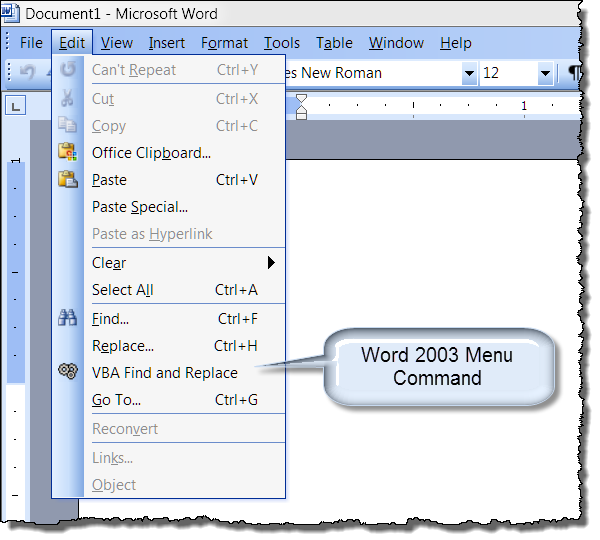
There are two versions of the add-in. Numbered the same, the versions are nearly identical with the exception of the user controls used to initiate the add-in. The .dot version works in Word2003\2007\2010. The .dotm version is intended for Word2007\2010 users. The user interface (UI) controls and their locations are shown below.
 Note: Prior to this update I have not used version numbering with this add-in. To avoid confusing current users I have started version numbering beginning with 2.0.


Executing either of the UI controls displays the add-in user interface. As you should see from the illustration, features are disabled until qualified. For example, you can't "EXECUTE" or define a "Find what/Replace with" variable pair until a "Search using" option is selected.
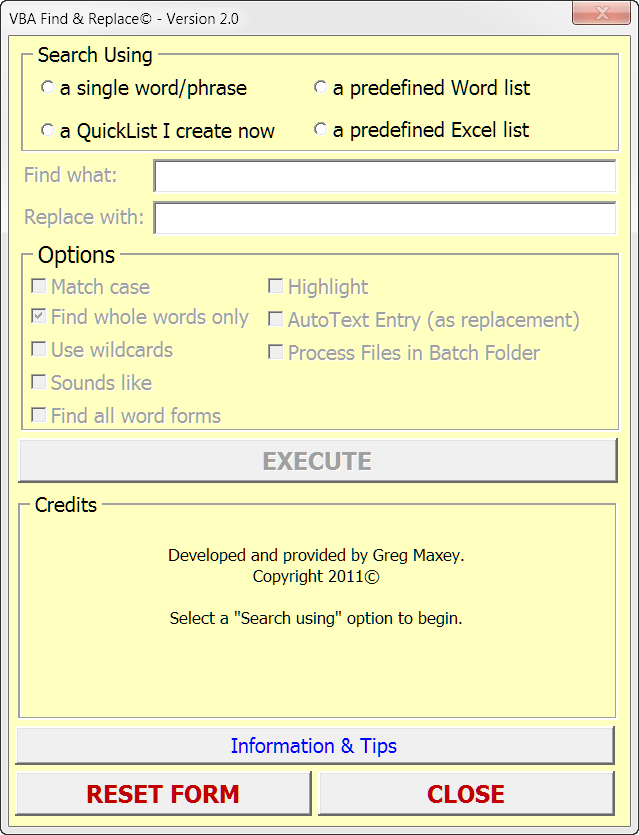
Note: Since this add-in was initially intended for performing multiple find and replace operations using a defined list, "Find whole words only" is true by default.
Selecting "a single word/phrase" as the search option qualifies and enables appropriate controls for user input. Notice that you still can't "EXECUTE" because you have not defined a valid "Find what" variable.
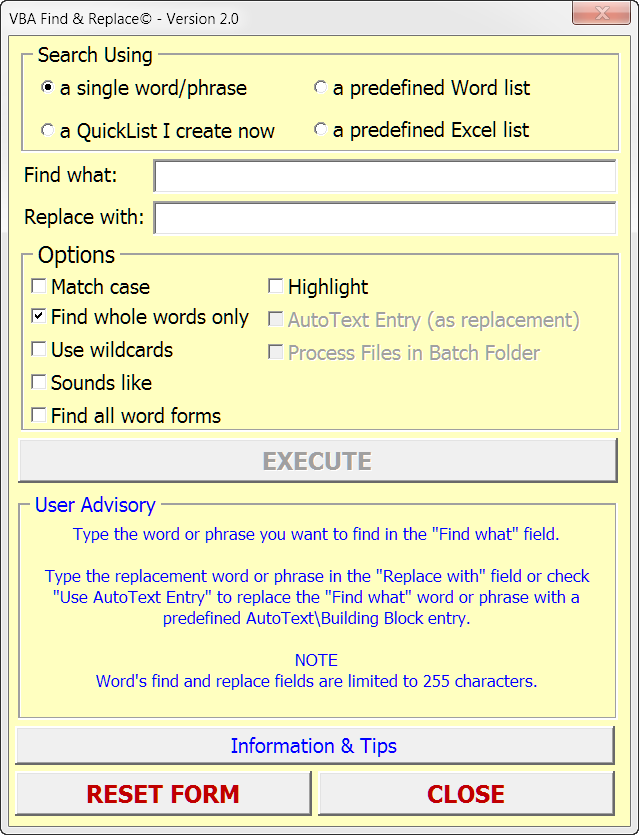
Defining a "Find what" term qualifies the remaining controls thus allowing the user to execute the operation.
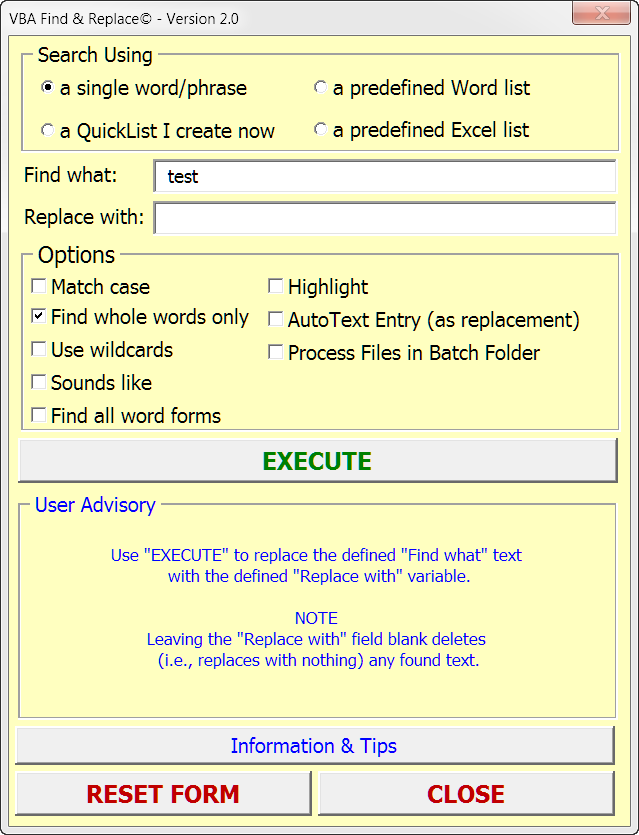
Note: Just like with the built-in replace utility, leaving the "Replace with" field empty deletes (replaces with nothing) any found text when the process is executed. Perhaps you will find it annoying, but I have added a confirmation requirement is this case.
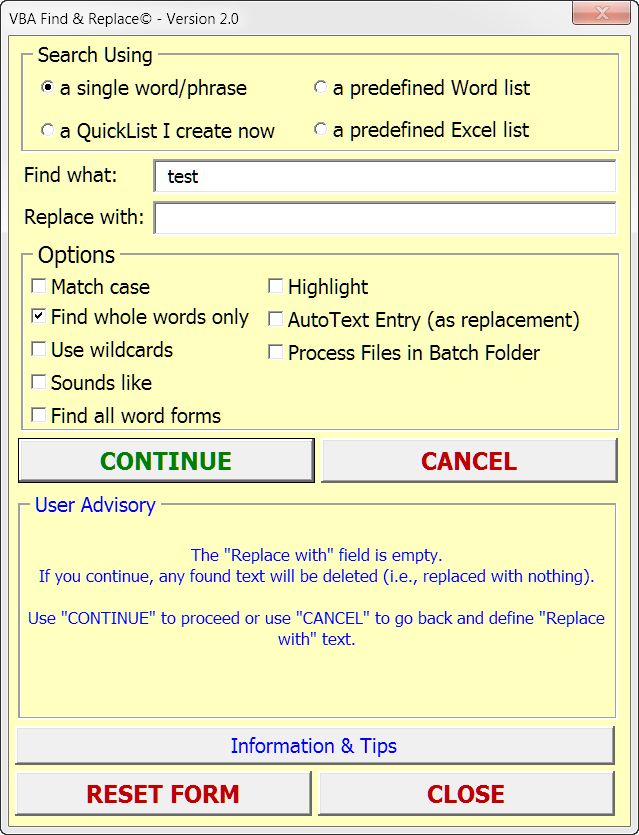
When the "a single word/phrase" option is selected and with a "Find what" field entry defined, the "AutoText Entry (as replacement) option becomes available. This powerful feature lets you select a defined AutoText\Building Block entry to use as the "Replace with" variable.
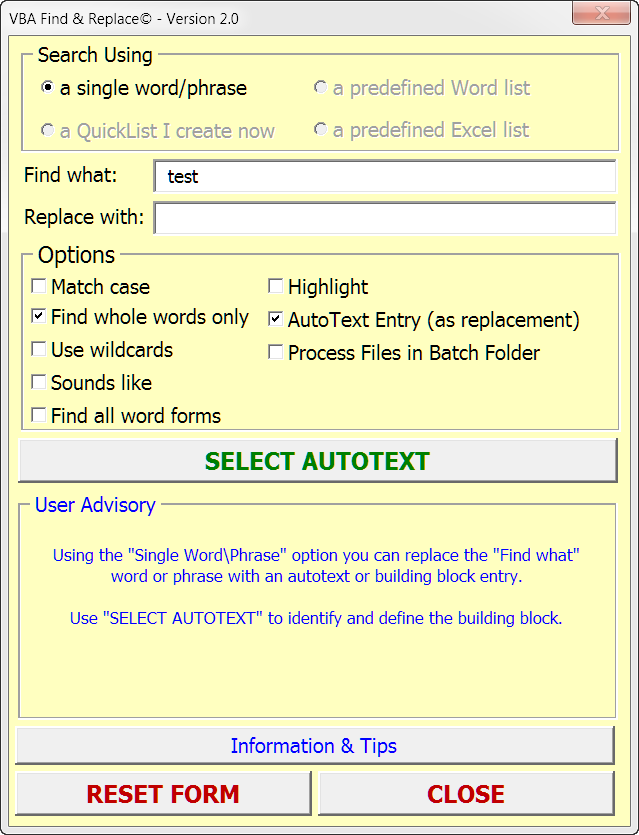
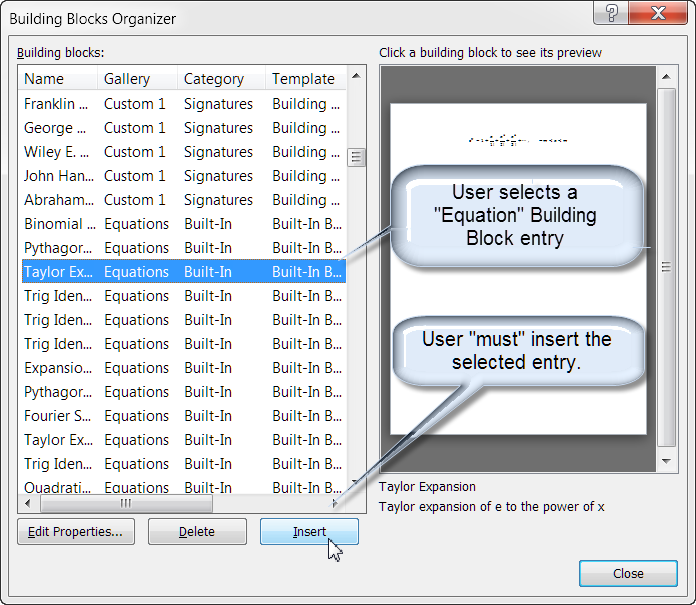
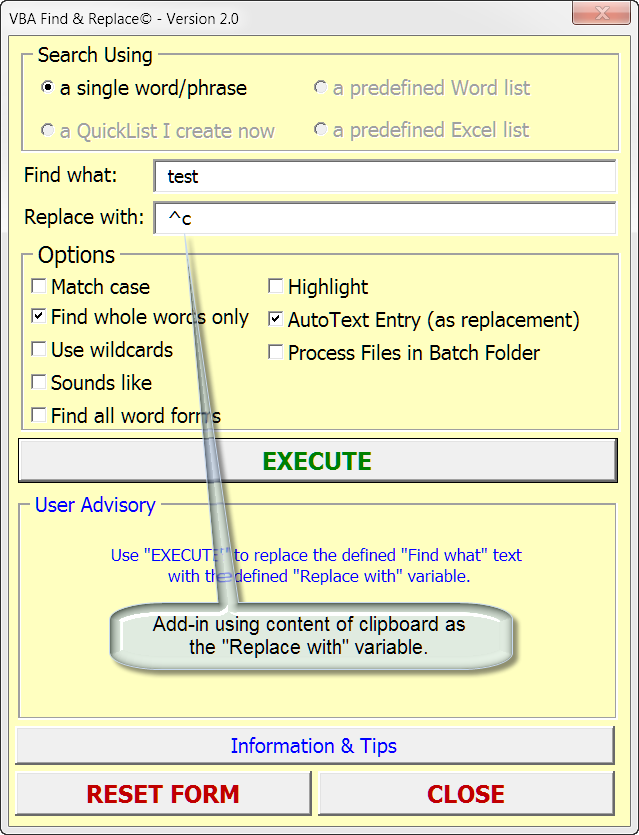
After executing "SELECT AUTOTEXT," the user selects and inserts a predefined AutoText\Building Block entry from the displayed dialog. This process automatically copies the selected AutoText\Building Block entry to the system clipboard and the add-in uses the clipboard content as the "Replace with" variable
Note: The "AutotText Entry (as replacement) option is available only with the "a single word/phrase" search option.
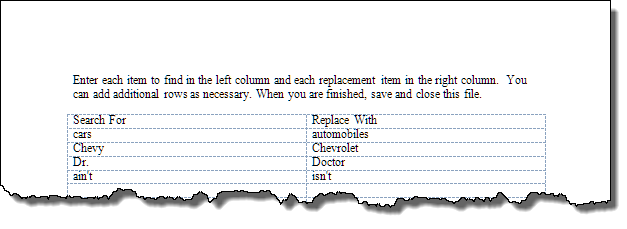
The remaining "Search using" options use one of three user defined lists containing "Find" and "Replace" pairs to perform repetitive replace operations on a single document of collection of documents in a selected batch folder. As sample "QuickList" is shown below.
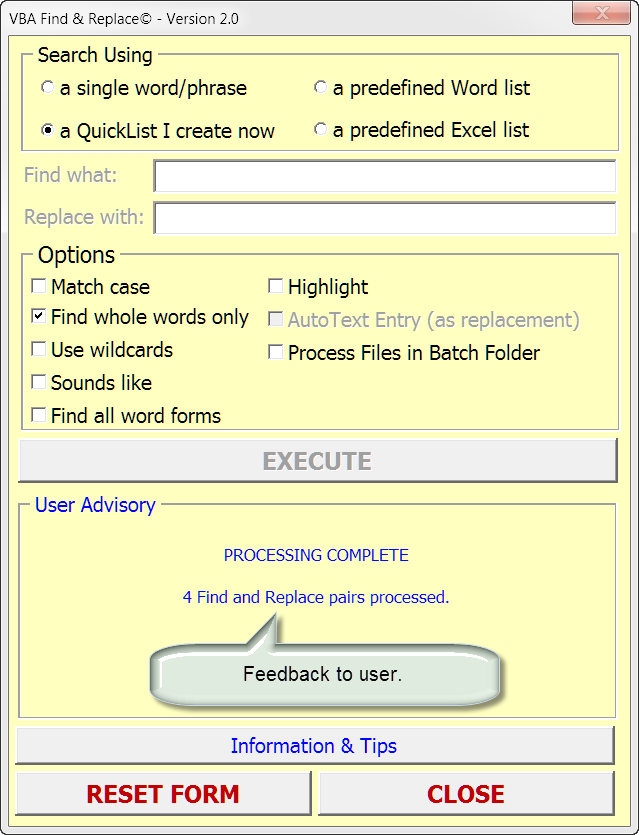
The add-in provides feedback to the user as operation are executed/completed.
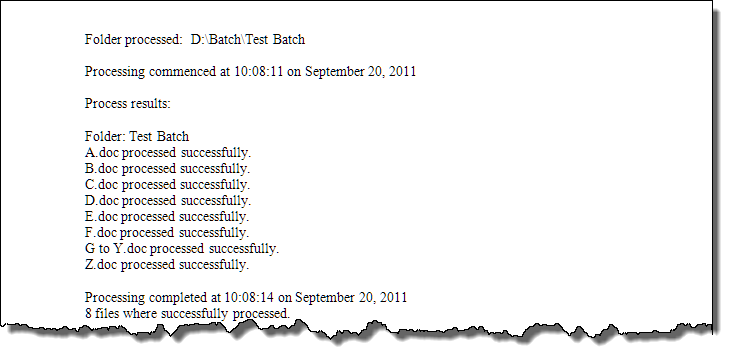
An execution log is available when the "Process Files in Batch Folder" option is used.
The "Info/Tips" command button provides information and tips for using the add-in.
Download the templates here: VBA Find and Replace.
For more on template add-ins and how to load them, see: Organizing Your Macros/Template Add-ins at: Installing Macros
That's it! I hope you have found this tips page useful and informative.
The information, illustrations and code contained in my "Microsoft Word Tips" are provided free and without risk or obligation.
However, the work is mine. If you use it for commercial purposes or benefit from my efforts through income earned or time saved then a donation, however small, will help to ensure the continued availability of this resource.
If you would like to donate, please use the appropriate donate button to access PayPal. Thank you!
This page was last updated on
March 09, 2021
Website
Privacy Statement
Back to top  Back to
Word Tips
Back to
Word Tips